
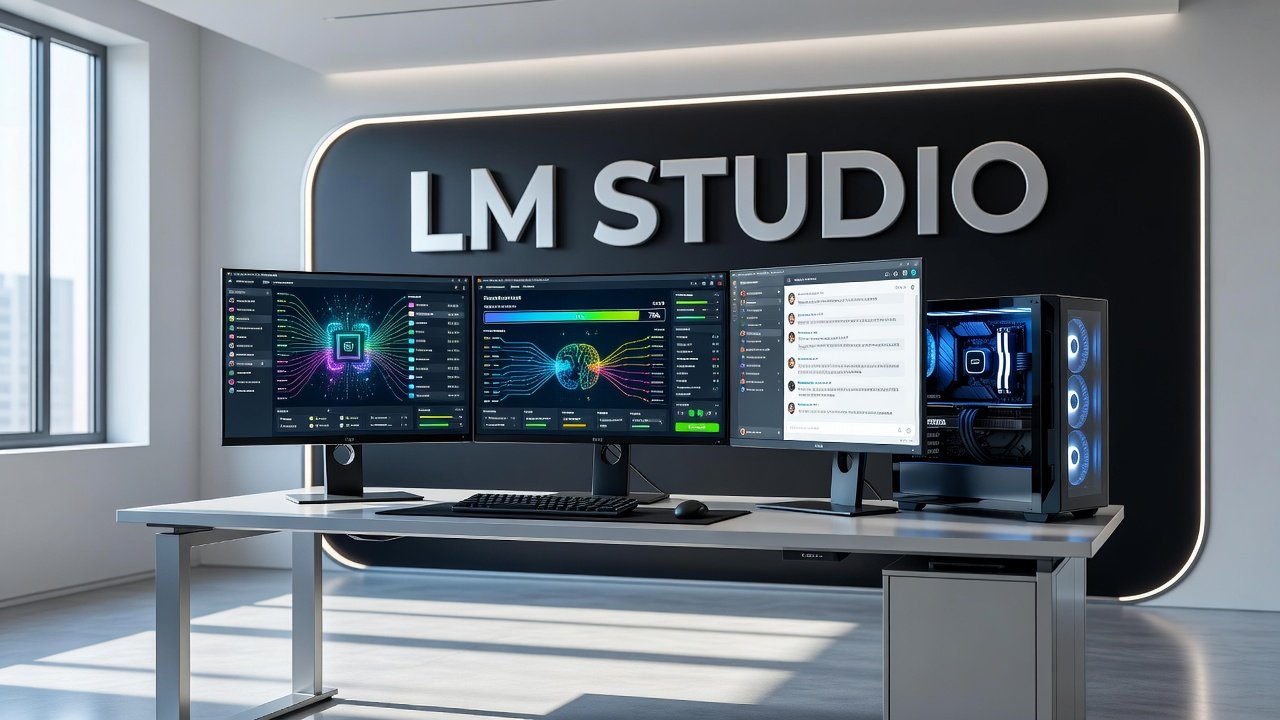
Running AI models locally has become more accessible than ever, and if you're curious about harnessing the power of large language models without sending your data to the cloud, LM Studio offers a practical solution. This free, desktop application lets you download and run models with billions of parameters - including robust 27B parameter models - right on your personal computer. The appeal is straightforward: complete privacy, no API costs, and the ability to work offline. But what does it actually take to run a model this size on consumer hardware, and is your current setup ready for the challenge? Let's break down the requirements, the installation process, and what you can realistically expect from running a 27B parameter AI model locally.
Understanding the Hardware Requirements
Running a 27B parameter model locally isn't something you can do on just any laptop. The hardware requirements are significant, and understanding them upfront saves frustration later.
At minimum, you'll need at least 16GB of RAM to run these models, though more memory delivers better performance and allows for longer conversation contexts. The real bottleneck, however, is your graphics card. For a 27B parameter model using 4-bit quantization - a compression technique that reduces model size while maintaining reasonable quality - you're looking at approximately 18GB of VRAM. This puts cards like the NVIDIA RTX 3090 or RTX 4090, both equipped with 24GB of VRAM, in the sweet spot for this task.

Why quantization matters: full-precision models would require dramatically more memory, making them impractical for consumer hardware. The 4-bit quantized versions shrink the model size by storing weights with reduced precision, trading a small amount of accuracy for massive savings in memory requirements.
If you don't have a high-end GPU, you can still run smaller models or use CPU-based inference, though expect much slower response times. Some users report success running 7B or 13B parameter models on more modest hardware, achieving reasonable performance for everyday tasks.
AI Snapshot: Running a 27B parameter model locally typically requires approximately 18GB of VRAM for 4-bit quantization, making GPUs with 24GB of memory ideal for the task.
Getting Started With LM Studio
The actual setup process is refreshingly simple compared to command-line alternatives that require technical know-how. LM Studio provides a graphical interface that anyone comfortable with installing regular desktop software can navigate.
First, download LM Studio from the official website and install it like any standard application. The interface opens to a model discovery page where you can browse thousands of available models, filtered by size, type, and quantization level. Search for models in the 27B parameter range - popular options include variants of LLaMA, Mistral, and other open-source language models.
When you find a model you want to try, click to download it. Be patient here: a 27B model, even quantized, can be 15-20GB in size. Download times depend entirely on your internet connection. Once downloaded, the model lives permanently on your hard drive, so you'll need adequate storage space if you plan to experiment with multiple models.
Loading a model is as simple as selecting it from your downloaded collection and clicking the chat interface. LM Studio handles all the technical details behind the scenes - memory allocation, model loading, and inference configuration. You can adjust parameters like temperature (which controls randomness in responses) and context length, but the defaults work well for most use cases.
The interface feels familiar if you've used ChatGPT or similar chat applications. Type your prompt, hit enter, and watch the model generate responses token by token. Response speed varies based on your hardware, but with appropriate GPU acceleration, a 27B model can generate coherent, detailed answers at readable speeds.
Privacy and Security Advantages
One of the most compelling reasons to run models locally is privacy. When you use cloud-based AI services, every prompt you send leaves your computer, gets processed on someone else's servers, and potentially gets stored or analyzed. For many use cases - creative writing, business strategy, personal projects, or sensitive research - that's an unacceptable tradeoff.
With LM Studio, everything happens on your machine. Your prompts never touch the internet. The model runs entirely offline once downloaded. This means you can work with confidential information, explore controversial topics, or simply enjoy the peace of mind that comes with true data sovereignty.
This privacy advantage extends beyond individual users. Small businesses can prototype AI features without exposing customer data or trade secrets. Researchers can work with sensitive datasets. Writers can develop ideas without worrying about their creative work being used to train future commercial models.
There's also no usage cap. Cloud AI services often impose rate limits or charge per token. Your local model runs as much as you want, limited only by your patience and electricity bill. For heavy users, this can represent substantial cost savings over time.
The security angle matters too. No internet connection means no attack surface for data interception. No third-party terms of service that might change. No risk of a service being discontinued and taking your workflow with it.
Performance Expectations and Practical Limitations
Let's be realistic about what a locally-run 27B model can and can't do. These models are impressive, but they're not equivalent to the largest cloud-based systems like GPT-4 or Claude, which use hundreds of billions or even trillions of parameters.
A 27B model excels at conversational tasks, coding assistance, summarization, and creative writing. It understands context well, follows instructions reasonably, and can maintain coherent conversations across multiple turns. For many everyday AI tasks, it's entirely sufficient and often indistinguishable from much larger models for straightforward queries.
Where you'll notice limitations: highly specialized knowledge domains, complex multi-step reasoning, or tasks requiring enormous context windows. The quantization that makes these models practical also introduces small quality degradations compared to full-precision versions. Response times, even with good hardware, won't match the snappy performance of professionally-hosted cloud services with optimized infrastructure.
Generation speed on a suitable GPU might range from 10 to 50 tokens per second, depending on your exact hardware and model configuration. That's fast enough for real-time conversation but slower than typing. CPU-only inference drops dramatically, sometimes to just a few tokens per second, making it viable only for batch processing or very patient users.
Model selection matters significantly. Some 27B models are fine-tuned for specific tasks - coding, instruction-following, creative writing - and excel in those areas while performing poorly elsewhere. Experiment with different models to find what works best for your needs.
Conclusion
Running a 27B parameter AI model locally with LM Studio represents a genuine shift in how individuals and small teams can access powerful language models. The barrier to entry is high in terms of hardware - you need a serious GPU - but once you clear that hurdle, the benefits are substantial. Complete privacy, unlimited usage, offline capability, and no recurring costs make local models attractive for anyone who values data sovereignty or has heavy AI usage needs.
The technology continues to improve rapidly. Models become more efficient, quantization techniques advance, and software like LM Studio makes the experience increasingly user-friendly. What required specialized knowledge and technical skill just a year or two ago now works through a simple graphical interface.
Is it right for you? If you have the hardware and value privacy, absolutely try it. If you're on the fence about upgrading your GPU, consider how much you'd use local AI and what that privacy is worth. For casual users, cloud services might still make more sense. But for anyone building serious AI workflows, doing sensitive work, or simply wanting to understand these systems more deeply, running models locally opens up possibilities that cloud services simply can't match.
FAQs
Can I run a 27B parameter model on a laptop?
Most laptops lack the VRAM needed for 27B models. Even high-end gaming laptops typically max out at 16GB of VRAM, falling short of the 18GB minimum for comfortable 4-bit quantized performance. You might run smaller 7B or 13B models on powerful laptops, but 27B models really need desktop-class GPUs with 24GB of VRAM. CPU-only inference is technically possible but painfully slow, generating just a few tokens per second.
Do I need internet to use LM Studio after downloading models?
No, once you've downloaded your models through LM Studio, everything runs completely offline. You can disconnect from the internet entirely and still use the models at full capability. This is perfect for air-gapped systems, travel situations without reliable connectivity, or anyone who simply prefers working offline. The only time you need internet is for the initial LM Studio installation and for downloading new models.
How much storage space do I need for multiple 27B models?
Each 27B parameter model at 4-bit quantization typically occupies 15-20GB of disk space. If you want to experiment with several models - say five different 27B variants - budget around 100GB of free storage. Smaller models like 7B or 13B parameters take proportionally less space. Using an SSD rather than a traditional hard drive will significantly improve model loading times, though it's not strictly required.
Are local models as good as ChatGPT or Claude?
For many everyday tasks, a well-chosen 27B local model performs comparably to cloud services. You'll get coherent conversations, decent coding help, and useful writing assistance. However, the largest commercial models like GPT-4 use vastly more parameters and training data, giving them advantages in specialized knowledge, complex reasoning, and nuanced understanding. Think of local 27B models as highly capable but not quite matching top-tier commercial offerings - a tradeoff many find worthwhile for the privacy and cost benefits.
Author

Maya-Rodriges@foucheres.com
Related Posts

Running AI Models on Your Own Machine: Practical Guide 2026
Learn how to run AI models on your own hardware in 2026. Complete guide to privacy, costs, hardware needs, and beginner-friendly tools...
Read out all
What AI Still Gets Wrong and How to Catch It
Learn what AI gets wrong most often and practical techniques to verify AI output. Understand hallucinations, confidence masks, and how to catch...
Read out all
AI Video Tools Worth Your Time in 2026
Discover AI video tools in 2026 that automate editing, personalize at scale, and turn prompts into polished videos in seconds. Real capabilities,...
Read out all
AI Coding Assistants: Which One Writes Code You Can Ship
Compare top AI coding assistants in 2026. Learn which tools write production-ready code, real productivity gains, and honest limitations developers face shipping...
Read out all
AI Image Generators Compared: What Each Does Best
Compare AI image generators like DALL-E 3, Midjourney, Ideogram, and Stable Diffusion. Learn what each platform actually excels at in 2026.
Read out all
Build Your First AI Agent Without Writing Code in 2026
Learn how to build your first AI agent without code using no-code platforms. Step-by-step guide to creating functional AI agents in 2026.
Read out all