
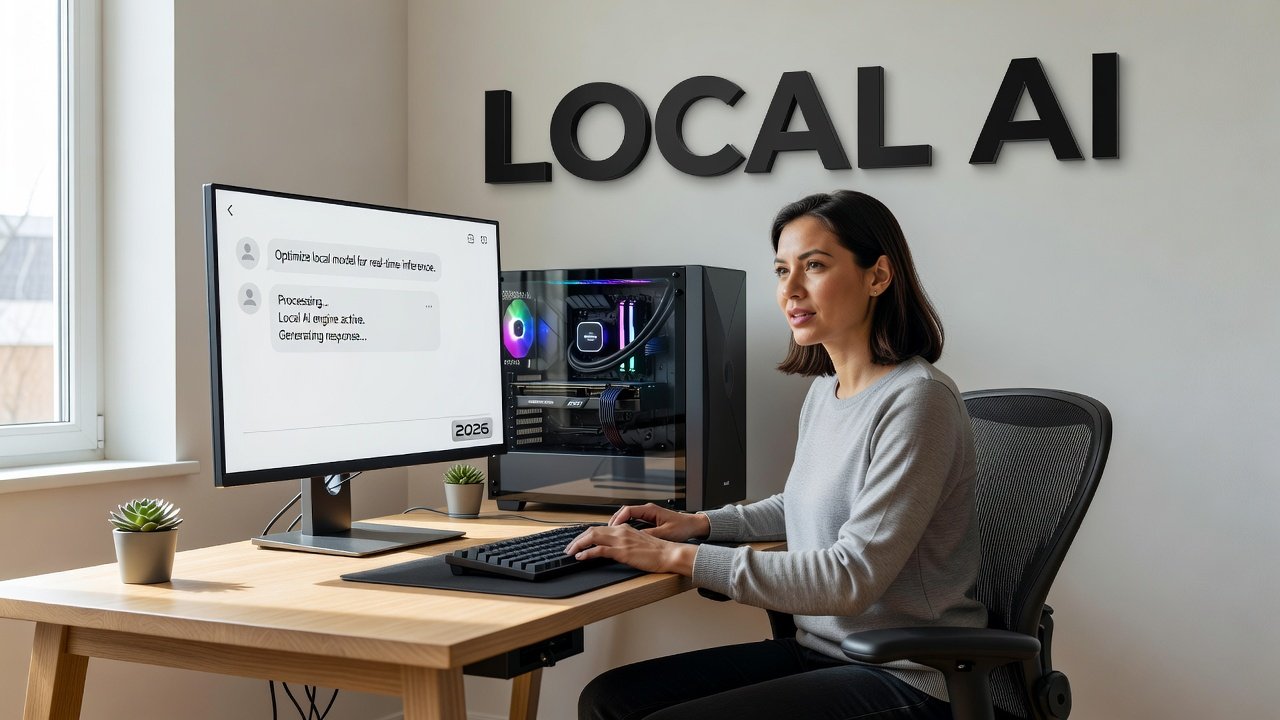
The idea of running AI models on your own computer might sound like something reserved for tech wizards with server farms in their basements. But in 2026, it's genuinely accessible to anyone with a decent machine and a willingness to experiment. Whether you care about keeping your data private, want to use AI without constant internet connectivity, or simply want to stop paying per-query fees to cloud services, local AI offers real advantages. This guide will walk you through what you actually need, which tools make the process straightforward, and how to get started without a computer science degree.
Why Run AI Models Locally?
The most compelling reason to run AI on your own hardware is privacy. When you use cloud-based AI services, every prompt you type travels to a remote server. Your questions, your drafts, your creative experiments - all of it gets processed elsewhere. With local models, your data never leaves your device. For anyone working with sensitive information, personal projects, or simply preferring to keep their digital life private, this matters.
Then there's the offline capability. Once you've downloaded a model, you can use it without any internet connection. Working on a plane? In a remote location? During a service outage? Your AI tools still function. This reliability changes how you can depend on these tools.

AI Snapshot: A comfortable hardware setup for running local AI models typically includes 16GB of system RAM and a GPU with 8GB VRAM, sufficient for running 7B-8B parameter models smoothly.
Cost is another factor. Cloud AI services charge per token or per query. Those fees add up quickly if you use these tools daily. Running models locally means your only ongoing cost is electricity - and for most consumer hardware, that's negligible. After the initial hardware investment, you're essentially getting unlimited usage. If you're the type who runs dozens of prompts daily or uses AI to process large amounts of text, the economics shift dramatically in favor of local deployment.
Hardware Requirements: What Do You Actually Need?
The primary bottleneck for local AI is memory - specifically, how much VRAM your graphics card has, or how much RAM your system can allocate if you're running on CPU. Smaller models, typically in the 7B to 8B parameter range, are the sweet spot for consumer hardware. These models can deliver impressive results while fitting comfortably on mid-range systems.
For most people, 16GB of system RAM and a GPU with 8GB of VRAM creates a comfortable experience. This setup can handle everyday tasks - writing assistance, code generation, question answering - without constant crashes or agonizingly slow inference times. You don't need the latest RTX 4090 or a professional workstation card. Many gaming GPUs from recent generations work perfectly fine.
If you don't have a discrete GPU, you can still run models on your CPU using system RAM. Performance will be slower, but it's absolutely viable for lighter use. Mac users with M1, M2, or M3 chips have an advantage here - Apple's unified memory architecture makes these machines surprisingly capable for local AI work. An M1 MacBook with 16GB of RAM punches well above its weight.
Storage is straightforward. Models range from a few gigabytes to over 100GB for the largest variants. A modern SSD with a few hundred gigabytes of free space gives you room to experiment with multiple models. You'll want fast storage for quicker load times, but it's not a dealbreaker if you're patient.
Getting Started: Tools That Make It Simple
The barrier to entry has dropped dramatically thanks to user-friendly tools designed specifically for running local models. Three stand out for their ease of use and reliability in 2026.
Ollama is perhaps the most straightforward option. It works via command line but requires minimal technical knowledge. You install it, then use simple commands to download and run models from a curated library. Want to try Meta's Llama models? Type one command. Mistral? Another single command. The interface is clean, the documentation is clear, and the community support is strong. It's available for Windows, Mac, and Linux.
LM Studio offers a graphical interface that feels more like a traditional application. You browse available models, download the ones you want, and chat with them through a sleek interface. It handles the technical complexity behind the scenes. You can adjust parameters like temperature and token limits without editing configuration files. For people who prefer clicking buttons to typing commands, LM Studio is an excellent choice.
Jan takes a similar approach to LM Studio but with a different design philosophy. It's open source, focuses on being lightweight, and gives you granular control when you want it while staying simple when you don't. Some users find its model management more intuitive. All three tools support the same underlying model formats, so your choice often comes down to personal preference and workflow.
These tools abstract away the complexity of loading models into memory, managing context windows, and handling tokenization. Five years ago, running local models meant compiling code, managing dependencies, and troubleshooting cryptic error messages. Now you download an app, pick a model, and start chatting. The technical barrier hasn't disappeared entirely, but it's low enough that curiosity and patience matter more than expertise.
Choosing and Testing Models
Not all models perform equally, and your hardware determines which ones you can realistically run. Start with smaller models to get a feel for the process. The 7B parameter models - Mistral 7B, Llama 3 8B, and similar options - offer surprisingly good performance for their size. They handle general conversation, basic coding tasks, and writing assistance competently.
Model quantization makes larger models more accessible. This process reduces the precision of model weights, shrinking file sizes and memory requirements with minimal impact on quality. A 13B model quantized to 4-bit precision might fit on a system that couldn't handle the full-precision version. Most local AI tools automatically handle quantized versions, so you benefit without needing to understand the technical details.
Performance varies by task. Some models excel at creative writing but struggle with code. Others are strong at following instructions precisely but less conversational. Testing multiple models for your specific use case helps you find the best fit. Download a few, run the same prompts through each, and compare results. The differences can be substantial.
Expect slower inference speeds than cloud services initially. Generating text locally on consumer hardware takes longer than hitting a massive server farm optimized for inference. But the delay becomes less noticeable as you get used to it, especially if you're not in a rush. The privacy and cost benefits often outweigh waiting a few extra seconds for responses.
Conclusion
Running AI models on your own machine represents a shift in how we think about these tools. Instead of renting access to someone else's infrastructure, you gain direct control. Your data stays local. Your costs become predictable. Your access doesn't depend on internet connectivity or service availability. These aren't small advantages.
The hardware requirements are real but not prohibitive. A mid-range gaming PC or a recent MacBook can handle models that would have seemed impossible to run locally just a couple of years ago. Tools like Ollama, LM Studio, and Jan remove most of the technical friction, making the experience approachable for non-experts.
Is local AI right for everyone? No. If you need the absolute best performance, cutting-edge capabilities, or specialized fine-tuned models, cloud services still lead. But for daily writing tasks, coding assistance, learning experiments, and general productivity work, local models deliver real value. The technology has matured to the point where trying it requires minimal investment and risk. Download one of these tools, grab a 7B model, and see what your own hardware can do. You might be surprised at how capable it's become.
FAQs
Can I run AI models on a laptop?
Yes, many modern laptops can run smaller AI models effectively. Gaming laptops with discrete GPUs work particularly well, but even integrated graphics can handle lighter models. MacBooks with Apple Silicon (M1 and newer) perform impressively for local AI work due to their unified memory architecture. The key is managing expectations - you'll want to stick with 7B or smaller models on most laptops, and inference will be slower than on desktop systems with powerful dedicated graphics cards.
How much does it cost to run AI models locally?
If you already own suitable hardware, the cost is essentially zero beyond electricity usage. Downloading models is free, and the software tools are either free or offer generous free tiers. If you need to upgrade your hardware, a GPU with 8GB VRAM costs between $300-500, and additional RAM is relatively inexpensive. Unlike cloud services that charge per use, local AI has no ongoing subscription or per-query fees. The initial hardware investment pays for itself quickly if you use AI tools regularly.
Are local AI models as good as ChatGPT or Claude?
The largest proprietary models from OpenAI and Anthropic still lead in raw capability, especially for complex reasoning and specialized tasks. However, the gap has narrowed considerably. Modern open-source models like Llama 3 and Mistral perform remarkably well for everyday tasks like writing assistance, code generation, and general question answering. For many practical purposes, the difference in output quality is less important than the privacy, cost, and offline benefits of running locally. It depends entirely on your specific needs and priorities.
Do I need programming knowledge to run local AI models?
Not anymore. Tools designed for 2026 specifically target non-technical users. LM Studio and Jan offer graphical interfaces where you click, download, and chat without touching any code. Ollama requires typing a few simple commands but nothing that requires programming knowledge. If you can install regular software and follow basic instructions, you can run local models. The community around these tools is helpful, and most common issues have well-documented solutions you can find with a quick search.
Author

Maya-Rodriges@foucheres.com
Related Posts

What AI Still Gets Wrong and How to Catch It
Learn what AI gets wrong most often and practical techniques to verify AI output. Understand hallucinations, confidence masks, and how to catch...
Read out all
AI Video Tools Worth Your Time in 2026
Discover AI video tools in 2026 that automate editing, personalize at scale, and turn prompts into polished videos in seconds. Real capabilities,...
Read out all
AI Coding Assistants: Which One Writes Code You Can Ship
Compare top AI coding assistants in 2026. Learn which tools write production-ready code, real productivity gains, and honest limitations developers face shipping...
Read out all
Run a 27B Parameter AI Model Locally With LM Studio
Learn how to run a 27B parameter AI model locally using LM Studio. Discover hardware requirements, setup steps, and privacy benefits of...
Read out all
AI Image Generators Compared: What Each Does Best
Compare AI image generators like DALL-E 3, Midjourney, Ideogram, and Stable Diffusion. Learn what each platform actually excels at in 2026.
Read out all
Build Your First AI Agent Without Writing Code in 2026
Learn how to build your first AI agent without code using no-code platforms. Step-by-step guide to creating functional AI agents in 2026.
Read out all